

Step 1: Log in to your account on the Gate App. Tap Assets - Withdraw.
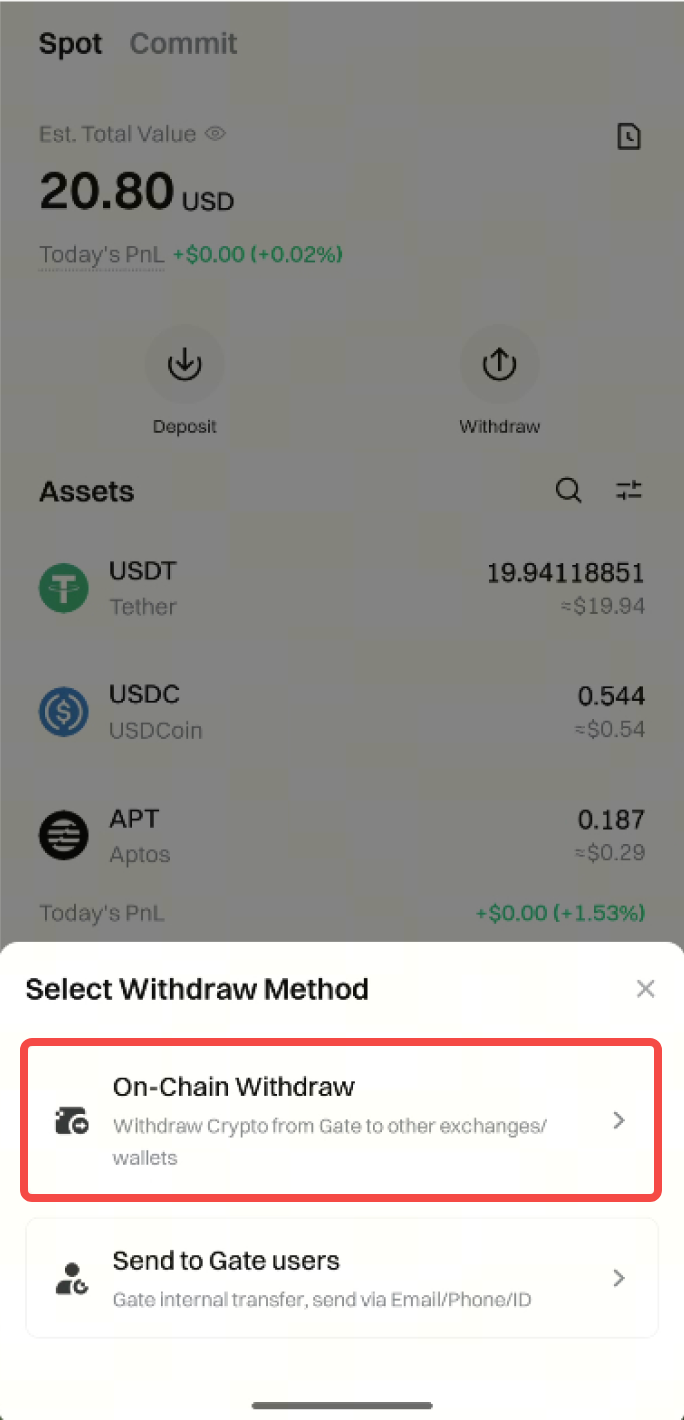
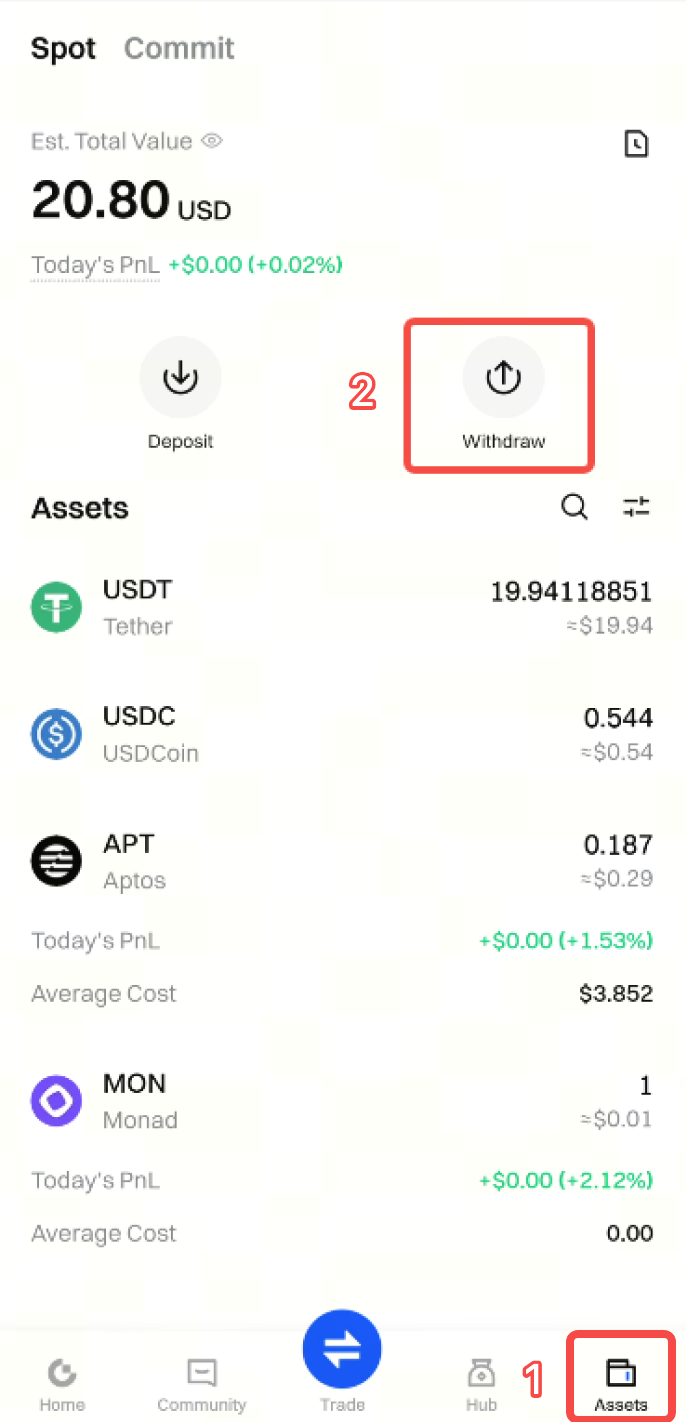 **Step 2:** Select **Onchain Withdrawal** and enter the cryptocurrency you want to withdraw.
Here we take withdrawing **USDT** as an example.
**Step 2:** Select **Onchain Withdrawal** and enter the cryptocurrency you want to withdraw.
Here we take withdrawing **USDT** as an example.
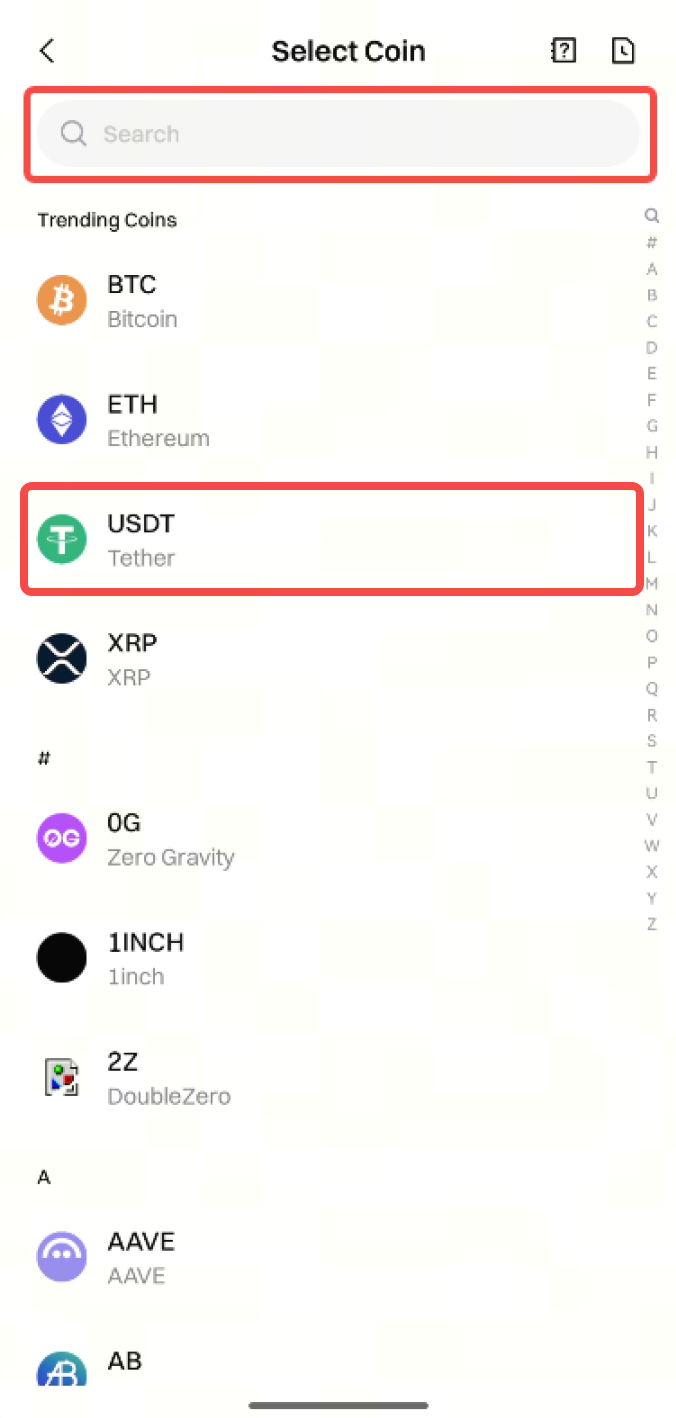 **Step 3:** Select the withdrawal **Network**, enter the receiving **Address** and **Amount**, then tap **Withdraw**.
If you enter incorrect information or select the wrong network when making a transfer, your assets will be permanently lost. Before confirming the transaction, please ensure the information is accurate and correct.
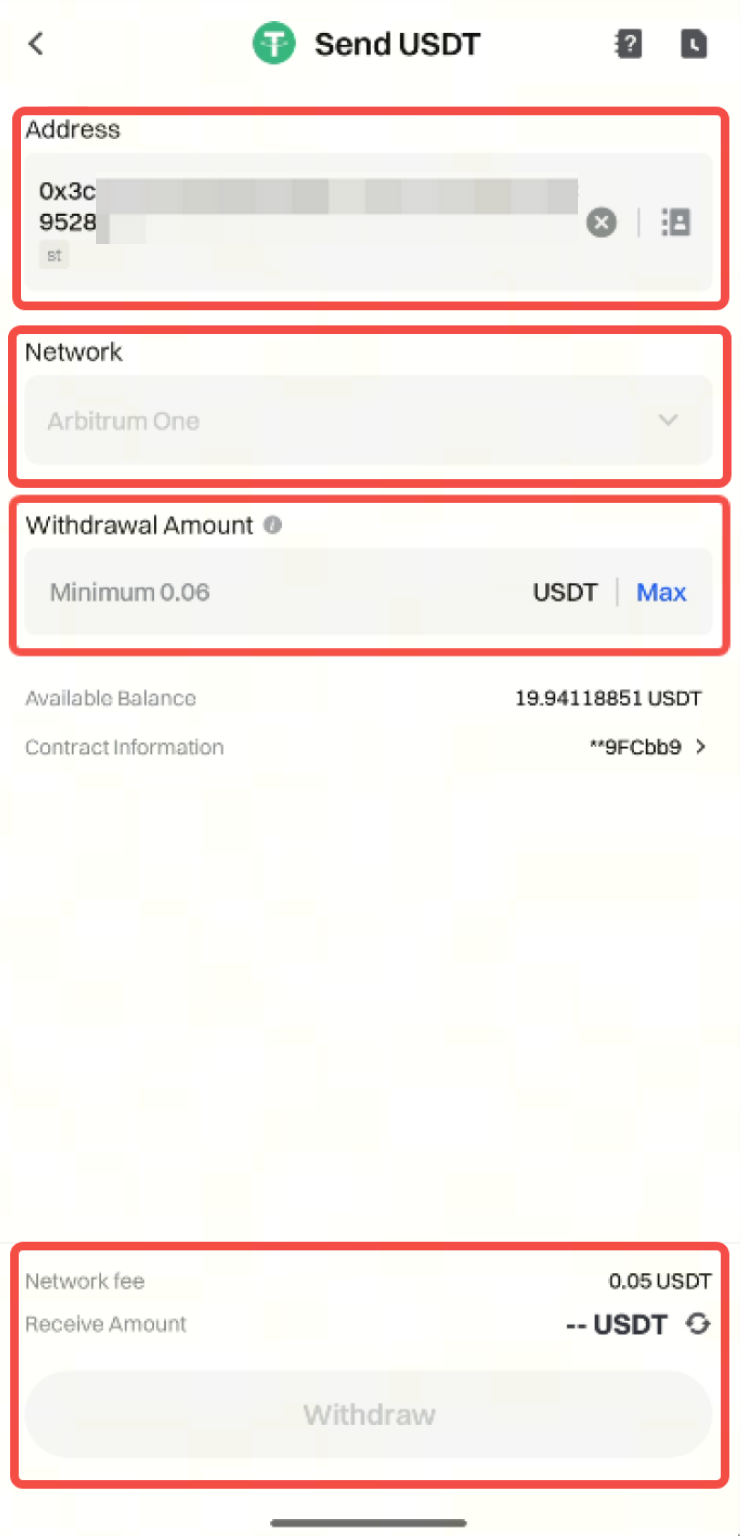
Notes:
- The selected withdrawal network must match the deposit address network, otherwise the withdrawal will fail and the funds will be lost.
- Withdrawal fees vary by coin and network. Please refer to the actual amount displayed on the withdrawal page.
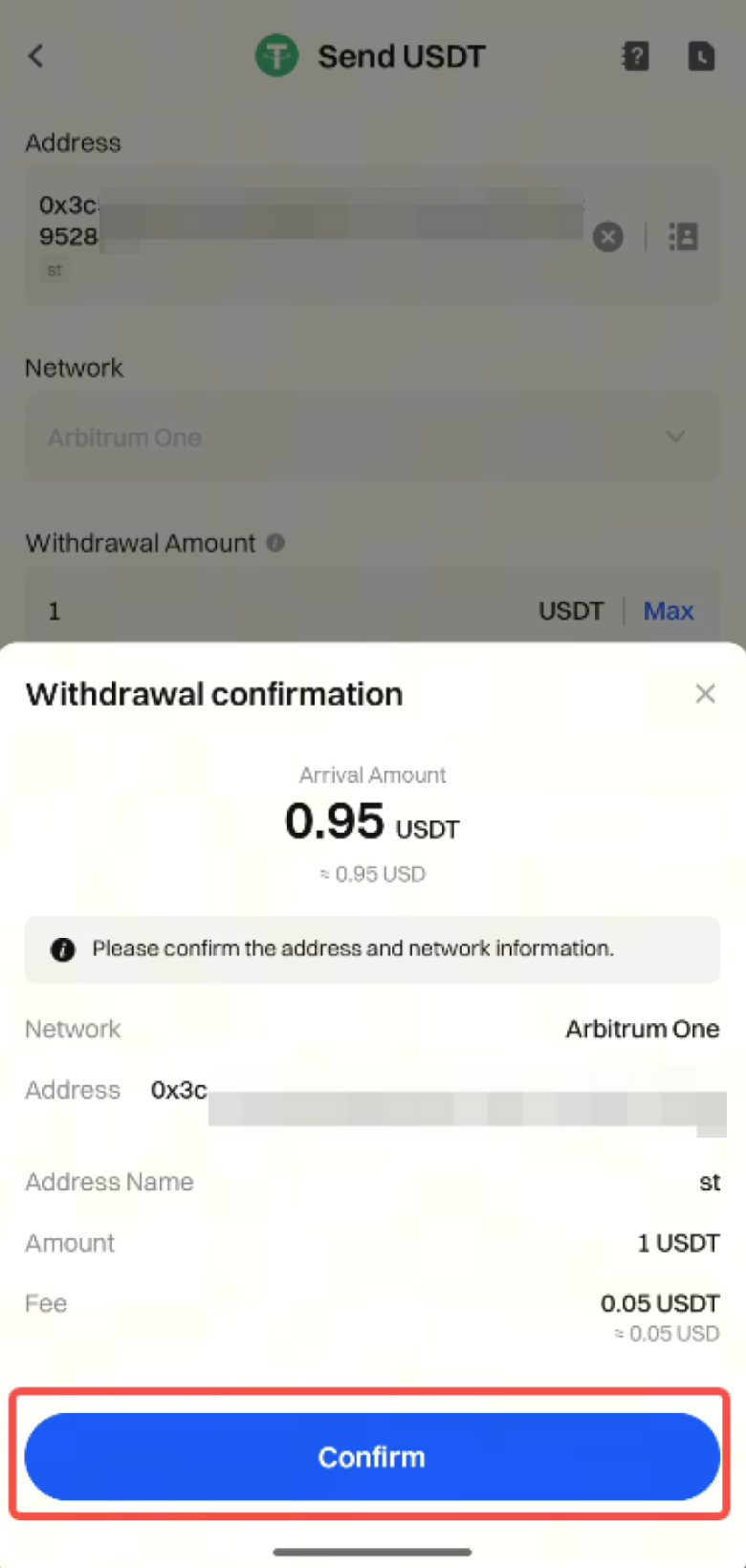
Step 4: Double-check the withdrawal information and tap Confirm.
Then complete the Security Verification by entering your Fund Password, Email Verification Code, SMS Verification Code, and Google Authenticator Code, and tap Confirm again.
After the withdrawal is completed, tap the Notebook icon at the top right corner of the withdrawal page to enter Recent Trades.
Here you can view your withdrawal history.
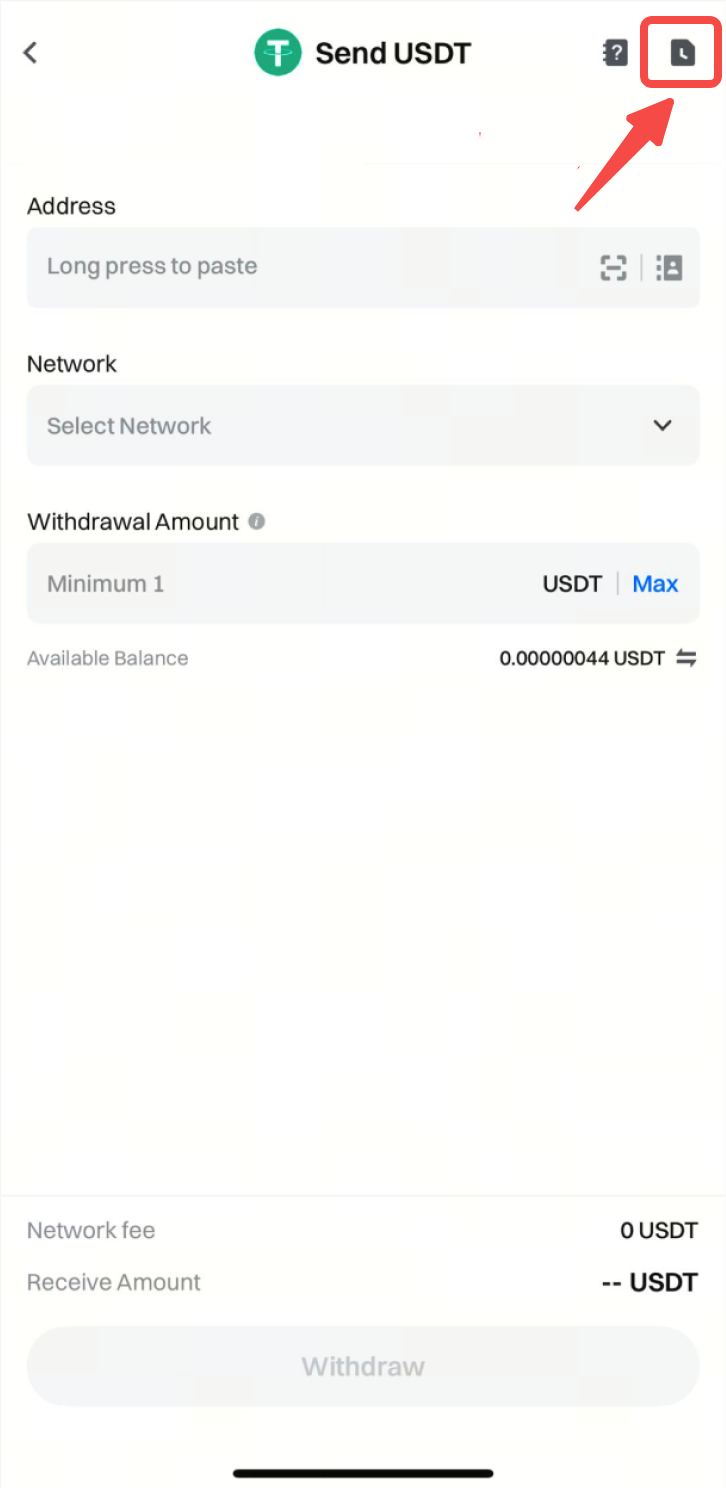

On this page, you can tap each withdrawal record to view the corresponding Withdrawal Details.

