

Step 1: Log in to your account. Click Trade on the top navigation bar.
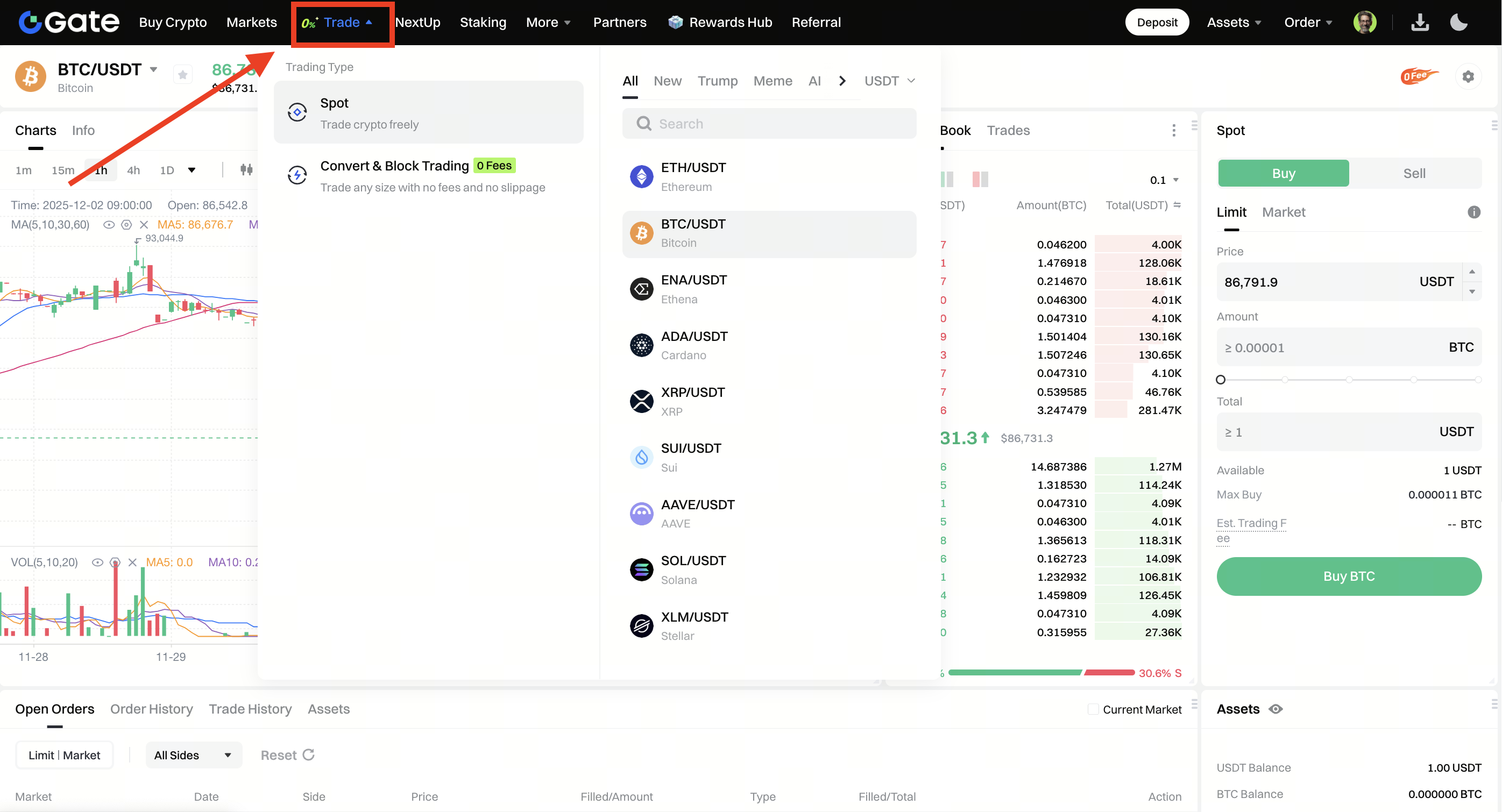
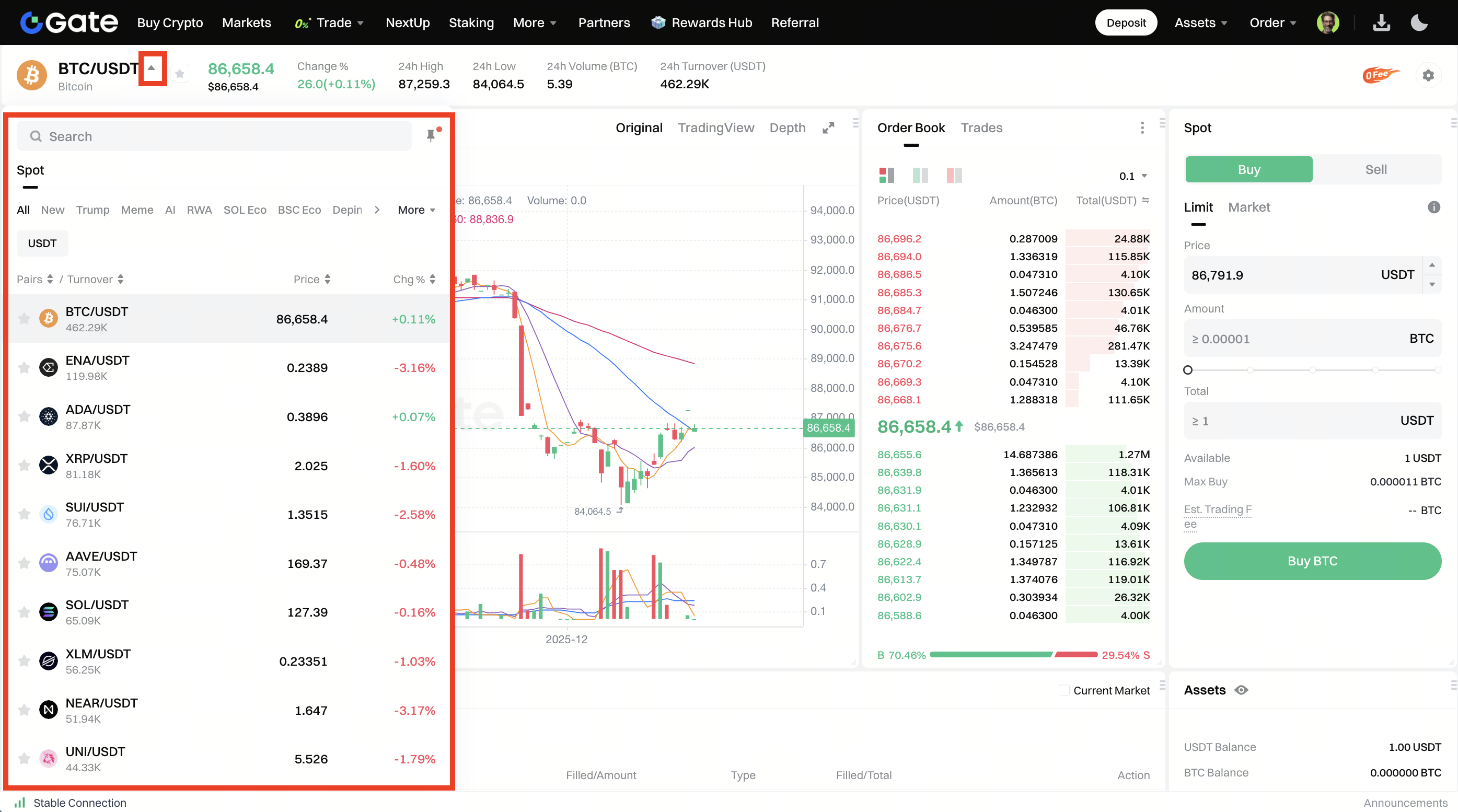
Step 2: Search and select the trading pair you want to trade in the Pair section on the left.
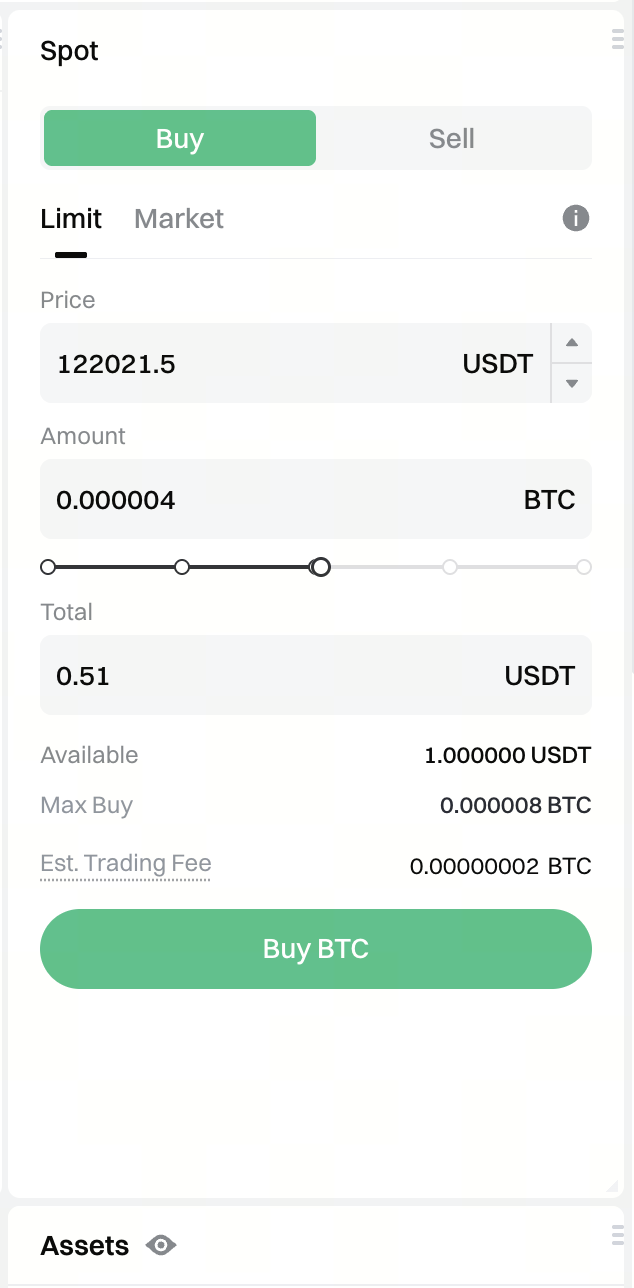
Step 3: Choose whether you want to Buy or Sell, then select your order type - Limit order or Market order.
After that, enter the Price and Amount/Total, and click Buy / Sell.
Note: The percentages under the Amount box refer to certain percentages of your account balance.
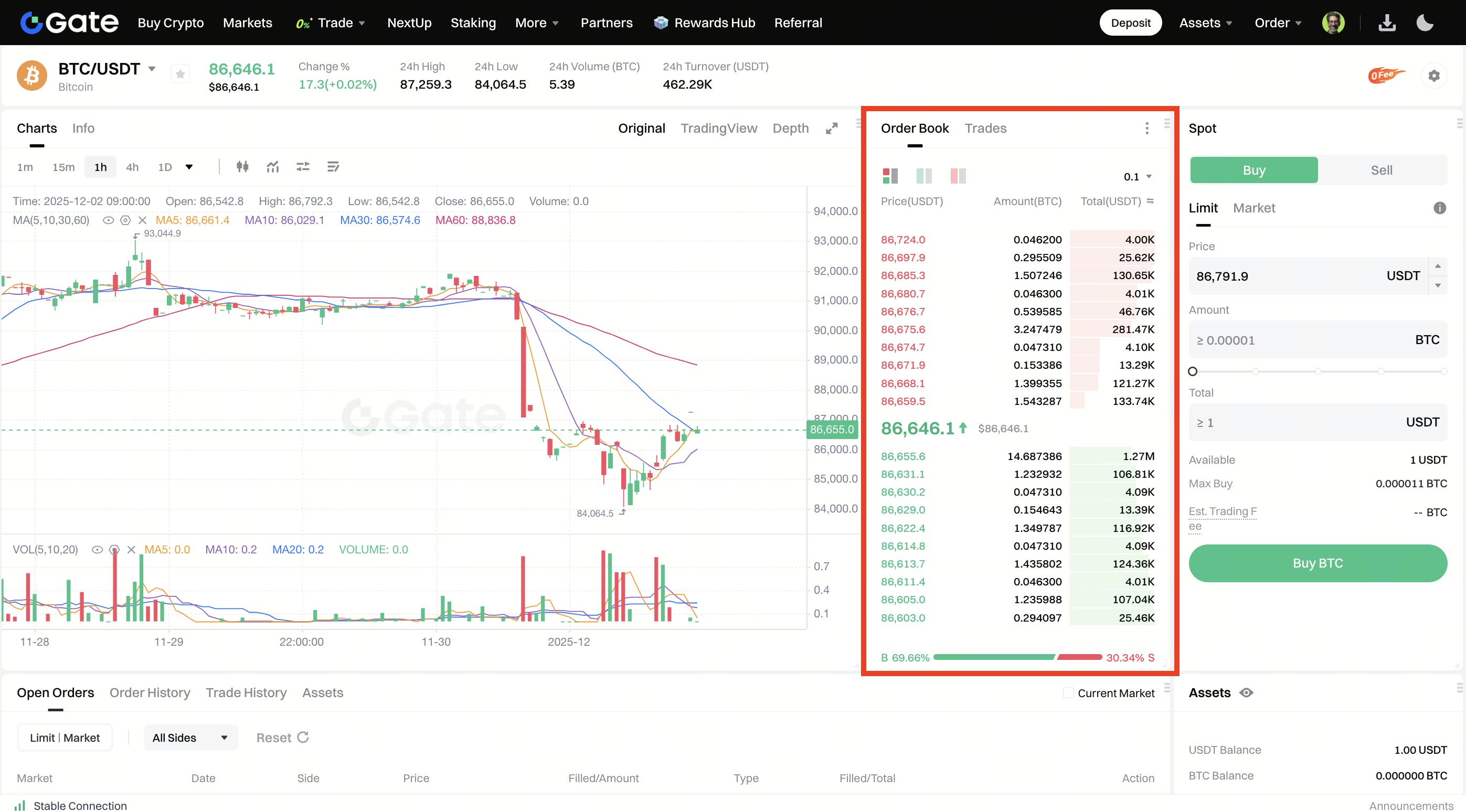
You can click a price in the Order Book to set the Buy/Sell Price conveniently or quickly.
Step 4: Confirm the price and amount, then click Confirm.
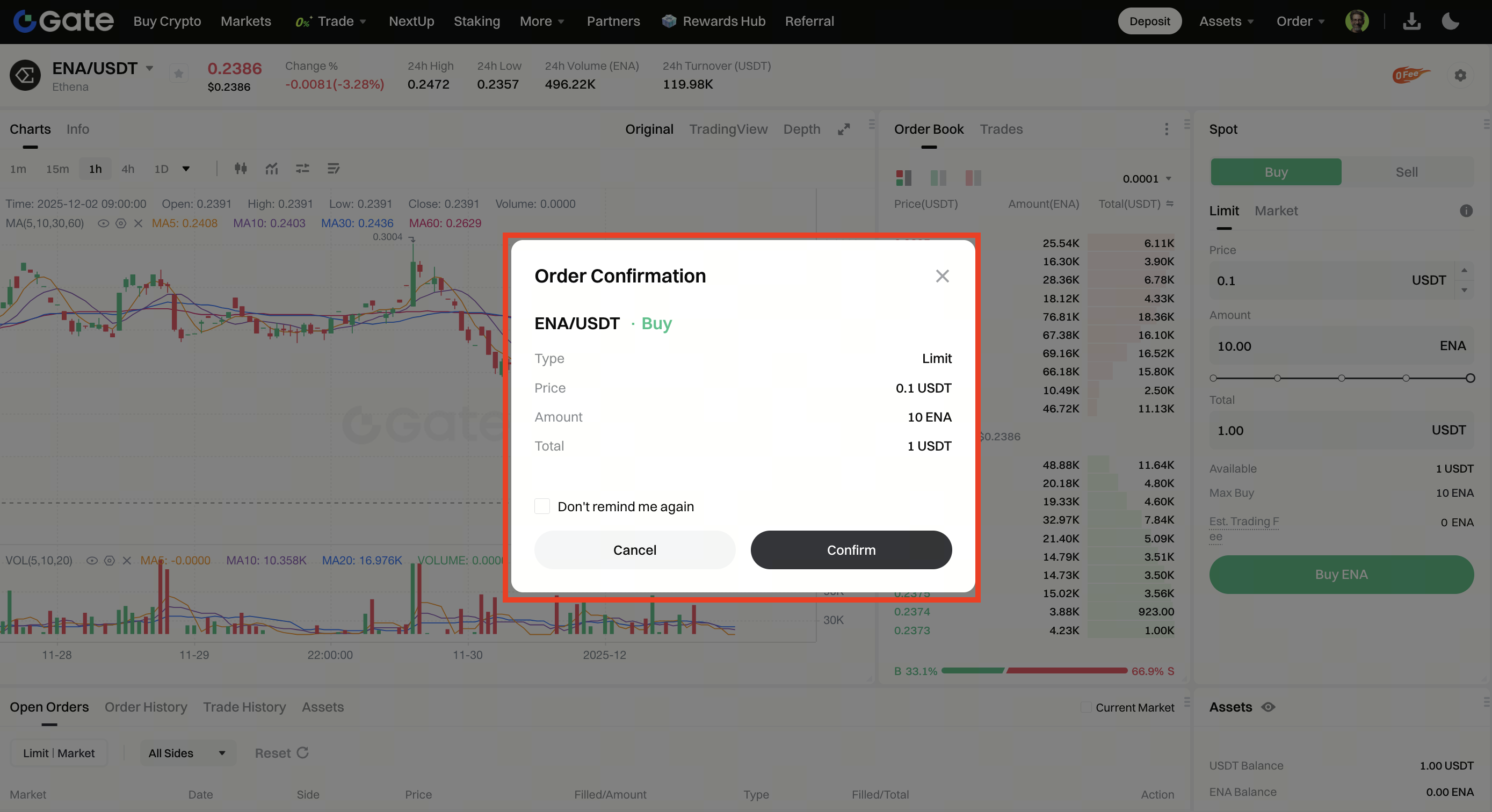
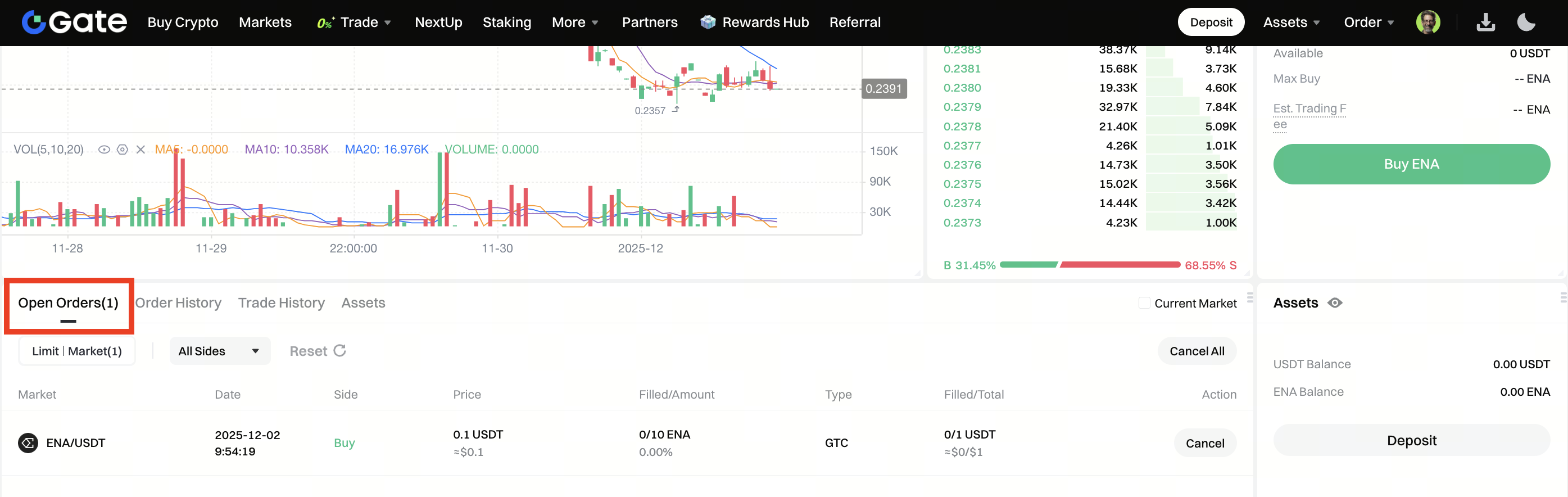
Step 5: After successfully placing an order, you can view it under the Open Orders section before it gets filled. To cancel an order, click Cancel.
Disclaimer: This is not investment advice. The information is provided for informational purposes only and should not be construed as a recommendation to buy, sell or hold any asset. Cryptocurrency trading involves a risk of loss. Gate US services may be restricted in certain jurisdictions. For more information, please see our legal disclosures: https://us.gate.com/legal/disclosures
