

What is a Limit Order?
A limit order is an order placed with a preset price and amount. Only when the market price matches with the limit price or better, the limit order will be filled. It is worth noting that if the price of a specific asset cannot reach the preset price or better, the limit order stays unfilled.
Limit Order Illustration
Buy
Supposing that the current price of BTC is 19,000 USDT (A) and you want to buy some BTC at the price of 18,000 USDT (C), you can place a limit buy order with a limit price of 18,000 USDT. When the price drops to C or lower, the limit order will be filled. If you set the limit price as 20,000 USDT (B), which is higher than the current price, the limit order will be filled immediately. The fill price will be close to price A instead of B.

Sell
Supposing that the current price of BTC is 19,000 USDT (A) and you want to sell some BTC at the price of 20,000 USDT (B), you can place a limit sell order with a limit price of 20,000 USDT. When the price goes up to B or higher, the limit order will be filled. If you set the limit price as 18,000 USDT(C), which is lower than the current price, the limit order will be filled immediately. The fill price will be close to price A instead of C.

Limit Order User Guide
If you want to buy BTC at the price of 100,000 USDT, you can place a limit order with a preset order price of 100,000 USDT. You can directly enter the amount of USDT you want to spend, or you can move the slider to choose the percentage of your available USDT balance that you want to use.
For example, I have 1 USDT in my Available balance, and I move the slider to spend 25% of it. The system will automatically calculate the buy amount of BTC I will receive at the limit price.
After confirming the order, click Buy BTC to place the limit order. When the market price drops to 100,000 USDT or lower, this limit order will be filled.

How to View the Limit Order History
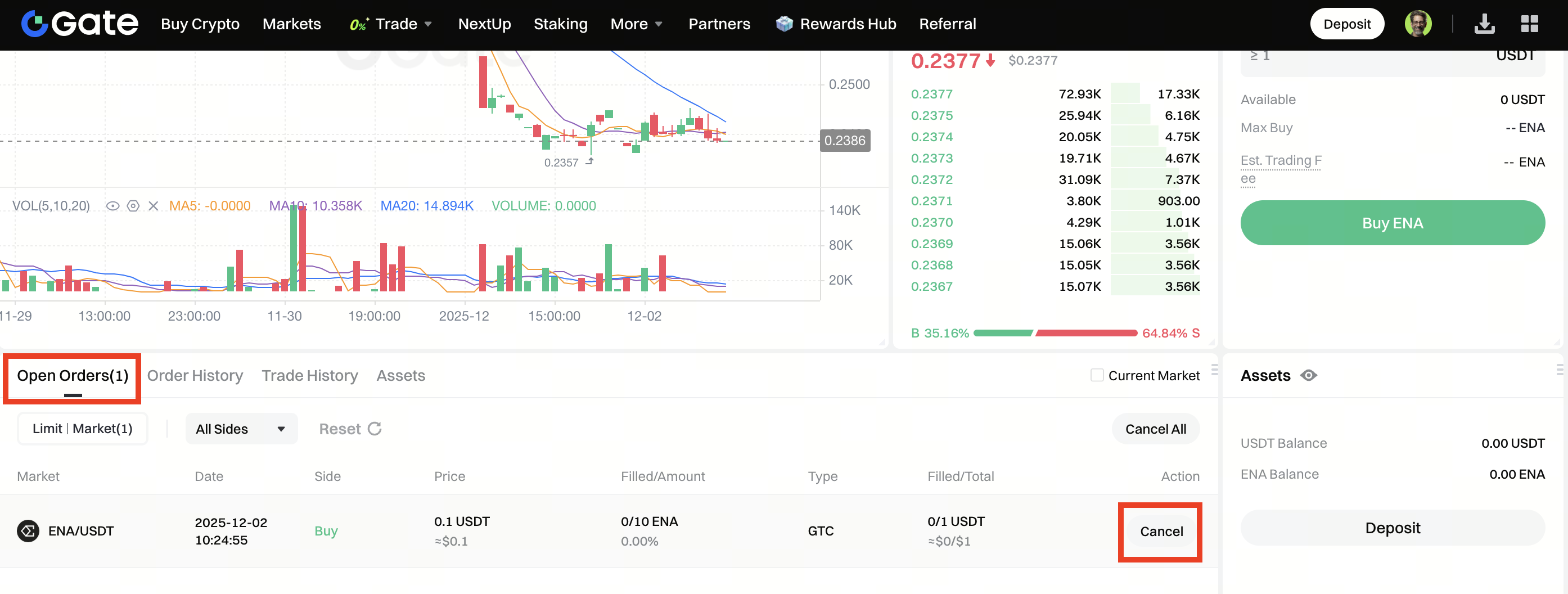
Click Open Orders - Limit to check the ongoing limit orders and their details. Filled limit orders can be seen in Trade History and Order History. A canceled limit order can only be seen in Order History.
Disclaimer: This is not investment advice. The information is provided for informational purposes only and should not be construed as a recommendation to buy, sell or hold any asset. Cryptocurrency trading involves a risk of loss. Gate US services may be restricted in certain jurisdictions. For more information, please see our legal disclosures: https://us.gate.com/legal/disclosures
